
Best free AI tools for freelancers in 2026 can change how you work. As a freelancer, you are the writer, designer, accountant, researcher and salesperson all at once. Every hour you spend on repetitive tasks is an hour you cannot spend on paid work or finding new clients.
The good news is that you no longer need a big budget to work smarter. Many powerful free AI tools now handle writing, design, research, meetings and automation. In this guide, we cover 10 of the best free AI tools for freelancers, what each one does, its main benefits, and who it suits best.
Note: free plans and limits change often, so always check each tool’s official website before you rely on it.
Why Freelancers Need the Best AI Tools
Freelancers earn by delivering results, not by working more hours. AI tools help in three clear ways:
- They save time. First drafts, summaries and basic designs take minutes instead of hours.
- They reduce costs. Free plans let you test a tool before paying anything.
- They improve quality. Grammar checks, research help and idea generation make your work more polished.
If you want more options after this list, browse our full AI tools directory for reviews across every category.
Quick Comparison of the Best Free AI Tools for Freelancers in 2026
| Tool | Best For | Main Benefit |
|---|---|---|
| Claude | Writing and analysis | Clear, natural drafts and long documents |
| ChatGPT | All-round tasks | Flexible assistant for ideas and emails |
| Perplexity | Research | Answers with sources |
| Canva | Design | Fast graphics and social posts |
| Grammarly | Editing | Better grammar and tone |
| Otter.ai | Meetings | Automatic transcripts and notes |
| Notion | Organization | Projects, notes and tasks in one place |
| Gamma | Presentations | Slides created from a short prompt |
| Zapier | Automation | Connects apps and removes manual work |
| CapCut | Video | Quick editing with AI features |
1. Claude: Best Free AI Assistant for Writing and Analysis
Claude is an AI assistant that is strong at writing, summarizing and working with long documents. Freelance writers, consultants and marketers use it to draft articles, rewrite messy text and break down complex briefs.
Key benefits:
- Produces natural, readable drafts you can edit quickly
- Handles long documents, which helps when you get detailed client briefs
- Useful for brainstorming, outlines and proposal drafts
Best for: writers, content marketers, consultants and anyone who works with a lot of text.
Limitation: the free plan has usage limits, so heavy daily use may require an upgrade.
Looking for more writing help? See our guide to the best AI writing tools.
2. ChatGPT: Best All-Round Free AI Tool
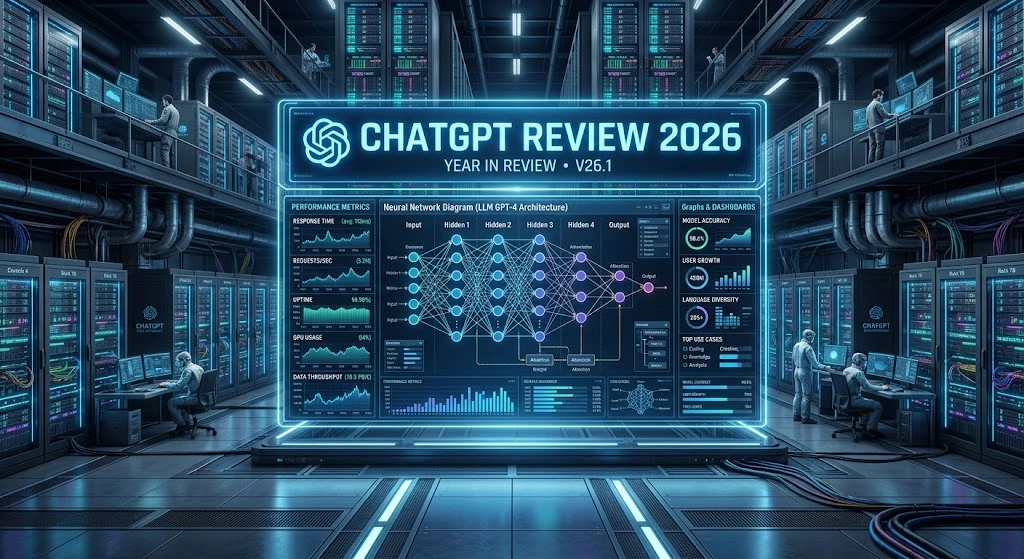
ChatGPT is one of the most popular AI assistants in the world. It works like a flexible helper that can write emails, suggest ideas, explain topics and even help with simple code.
Key benefits:
- Handles a very wide range of tasks in one place
- Great for client emails, social captions and idea lists
- Easy to learn, even for beginners
Best for: freelancers who want one general tool for many different jobs.
Limitation: free access can be limited during busy times, and you should always fact-check important claims. ChatGPT
3. Perplexity: Best Free AI Tool for Research in 2026
Perplexity works like a search engine that gives you direct answers and shows its sources. This makes it very useful when you need to research a topic quickly before writing or presenting to a client.
Key benefits:
- Gives summarized answers with links so you can verify facts
- Saves hours of opening and reading many web pages
- Helpful for market research and competitor checks
Best for: writers, researchers, consultants and marketers.
Limitation: always open the sources and confirm the details before using them in client work.
Explore more options in our AI research and data tools category.
4. Canva: Best Free AI Tool for Design
Canva lets non-designers create professional graphics with ready-made templates, and it now includes AI features to speed up design work. Freelancers use it for social media posts, thumbnails, logos, proposals and simple branding. Canva
Key benefits:
- Thousands of templates for fast results
- Drag-and-drop editing with no design skills needed
- AI features that help generate images and edit designs
Best for: social media managers, small business freelancers and content creators.
Limitation: some premium templates and AI features need a paid plan.
If you need more visuals, check our list of AI image generators.
5. Grammarly: Best Free AI Tool for Editing in 2026
Grammarly checks your spelling, grammar and tone as you type. It works inside your browser, email and many writing apps, which makes it easy to use in daily work.
Key benefits:
- Catches mistakes before your client sees them
- Helps keep your tone clear and professional
- Works across email, documents and websites
Best for: any freelancer who communicates in writing, especially non-native English speakers.
Limitation: advanced rewriting and style features are in the paid plan.
6. Otter.ai: Best Free AI Tool for Meetings in 2026
Client calls are full of details that are easy to forget. Otter.ai records and transcribes meetings, then creates summaries so you can focus on the conversation instead of taking notes.
Key benefits:
- Turns spoken words into searchable text
- Creates summaries and action points
- Helps you remember exactly what the client asked for
Best for: consultants, virtual assistants, coaches and project-based freelancers.
Limitation: the free plan limits transcription minutes. Also ask for permission before recording any call.
7. Notion: Best Free Tool to Organize Your Freelance Work in 2026
Notion combines notes, tasks, databases and documents in one workspace, and it includes AI features that can help with summaries and drafts. Many freelancers use it as a client tracker, content calendar and project dashboard.
Key benefits:
- Keeps all clients, tasks and deadlines in one place
- Flexible templates for invoices, trackers and content plans
- Helps you stay organized without paying for several apps
Best for: freelancers managing many clients and projects.
Limitation: the AI features may need a paid add-on, and the tool takes a little time to learn.
See more options in our productivity and automation tools section.
8. Gamma: Best Free AI Tool for Presentations in 2026
Creating a client pitch or report deck can take hours. Gamma generates presentations, documents and simple web pages from a short prompt, which you can then edit and polish.
Key benefits:
- Builds a full first draft of slides in minutes
- Clean modern designs without design effort
- Useful for proposals, reports and training material
Best for: consultants, marketers, trainers and anyone who pitches to clients.
Limitation: free credits are limited, and you should always review and adjust the content.
9. Zapier: Best Free AI Tool for Automation in 2026
Zapier connects the apps you already use and runs tasks automatically. For example, you can save form responses to a spreadsheet, send yourself a message for each new lead, or create a task when an email arrives.
Key benefits:
- Removes repetitive copy-and-paste work
- Connects thousands of popular apps
- Lets you build simple workflows without coding
Best for: freelancers who handle many leads, forms or recurring tasks.
Limitation: the free plan limits how many tasks and automations you can run.
10. CapCut: Best Free AI Tool for Video Editing in 2026
Video is in high demand, and CapCut makes editing easier with templates, captions and AI-powered features. It is popular with short-form video creators and social media freelancers.
Key benefits:
- Easy interface for beginners
- Automatic captions that save a lot of editing time
- Templates for reels, shorts and promotional clips
Best for: video editors, social media managers and content creators.
Limitation: some effects and export options require a paid plan.
For more in this area, see our AI video and audio tools page.
How to Choose the Right Free AI Tools for Your Freelance Business in 2026
You do not need all ten tools. Start with the ones that match your main work:
- List your most time-consuming tasks. Writing, research, design and admin each have different best tools.
- Start with two or three tools. Learn them well before adding more.
- Check the free plan limits. Make sure the free version covers your real daily needs.
- Look at privacy. Avoid pasting confidential client information into any AI tool without checking its data policy.
- Upgrade only when it pays for itself. If a paid plan saves you more time than it costs, it may be worth it.
A simple starter setup for most freelancers: one AI assistant (Claude or ChatGPT), one design tool (Canva), one editor (Grammarly) and one organizer (Notion).
Tips for Using Free AI Tools Without Losing Quality
AI is a helper, not a replacement for your skills. Keep these habits:
- Always edit the output. Add your own voice, examples and experience.
- Fact-check important claims. AI can make mistakes, especially with numbers and dates.
- Be honest with clients. Follow any rules or contracts about AI use.
- Protect client data. Never share private or sensitive information in free tools.
- Keep learning. New tools appear every month. Our latest AI tool reviews help you stay updated.
Frequently Asked Questions
What are the best free AI tools for freelancers?
Some of the best options include Claude, ChatGPT, Perplexity, Canva, Grammarly, Otter.ai, Notion, Gamma, Zapier and CapCut. The right choice depends on whether you write, design, edit video or manage clients.
Are free AI tools good enough for professional work?
Yes, for many tasks. Free plans are great for getting started and testing a tool. As your workload grows, you may find a paid plan worth the cost.
Can AI tools replace freelancers?
AI can speed up routine work, but clients still value human judgment, creativity and trust. Freelancers who learn to use AI well often work faster and deliver better results.
Is it safe to use AI tools with client work?
It can be, if you avoid sharing confidential information, read each tool’s privacy policy, and follow your client’s rules.
Conclusion
The best free AI tools for freelancers in 2026 help you spend less time on repetitive tasks and more time on work that earns money. Start small: pick an AI assistant, a design tool and an organizer, then add others as your needs grow. Test each tool on a real project, keep what saves you time, and drop what does not.
Want to explore more? Visit our full AI tools directory and read our latest AI tool reviews and guides to find the right tools for your freelance career.